If you came to glm for help choosing a 3D file format, this guide explains which options fit printing, games, web use, and AR—and what conversion can preserve.
The right file format depends less on how you made a model than on where it goes next. I choose the destination first, then check whether the format can carry the shape, appearance, and scale that destination needs.
The short version
- Single-color printing: Choose STL when you need geometry and will set the size in your slicer.
- Color printing or reliable print scale: Choose 3MF. It can store colors and declares its units; converting an uncolored STL will not create colors.
- Games and the web: Choose GLB when you want a mesh, materials, and textures together. Use FBX if your engine pipeline specifically requires it.
- iPhone or iPad AR: Choose USDZ. Keep a GLB as well if the model also needs to work in Android or web AR.
Start with the destination
I treat an extension as a delivery choice, not a quality ranking. A format that is useful for a printer can be a poor handoff to a game engine. A model that looks right in a web viewer may still need another file for iPhone AR.
3D Studio’s 3D File Converter organizes browser-based converters by source and target format, with notes on what each conversion can keep or drop. It is useful once you know where the file needs to go. Picking a target at random and inspecting the result afterward makes it too easy to discover that the destination format never supported something you needed.
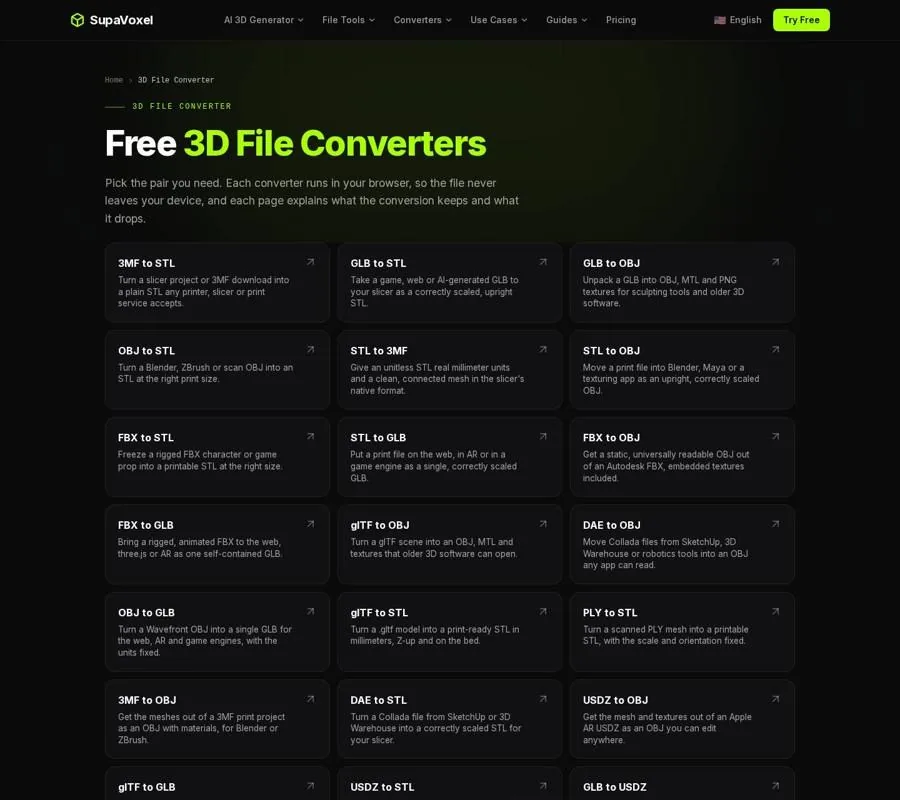
The converter page lets you pick a file-format pair for the destination you have in mind.
Before choosing, ask what the receiving app needs to read. For a plain print, that is mainly shape. For a colored print, it is shape plus color assignments. For a game prop, it may include textures and animation. For AR, physical scale matters because the model is placed in a real scene. Those requirements give you a much clearer answer than asking which extension is “best.”
Printing: choose STL for simplicity, 3MF for more information
STL is a practical choice for a single-color print because slicers read it and it carries the geometry they need. Its limitation is also simple: STL does not store color or units. Its coordinates are just numbers, which a slicer commonly interprets as millimeters.
That convention works when the model was made with millimeters in mind. It fails when the same numbers were intended to mean inches. If a bracket was drawn as 2 inches across, reading its coordinate as 2 mm produces a tiny bracket. The shape is still there; its intended scale has been lost at the handoff.
3MF can state that its units are millimeters. It can also carry color and print information, making it a better choice when those details matter to the slicer or to someone receiving your file. But the container cannot recover information absent from the source. An STL has no colors to transfer into a 3MF.
If you have an STL with uncertain scale, 3D Studio’s STL to 3MF converter lets you specify whether its numbers represent millimeters or inches before writing a millimeter-tagged 3MF. Check the displayed output size rather than assuming the default is right. An inch-based part needs that unit choice made before conversion; merely changing its extension does not fix its scale.
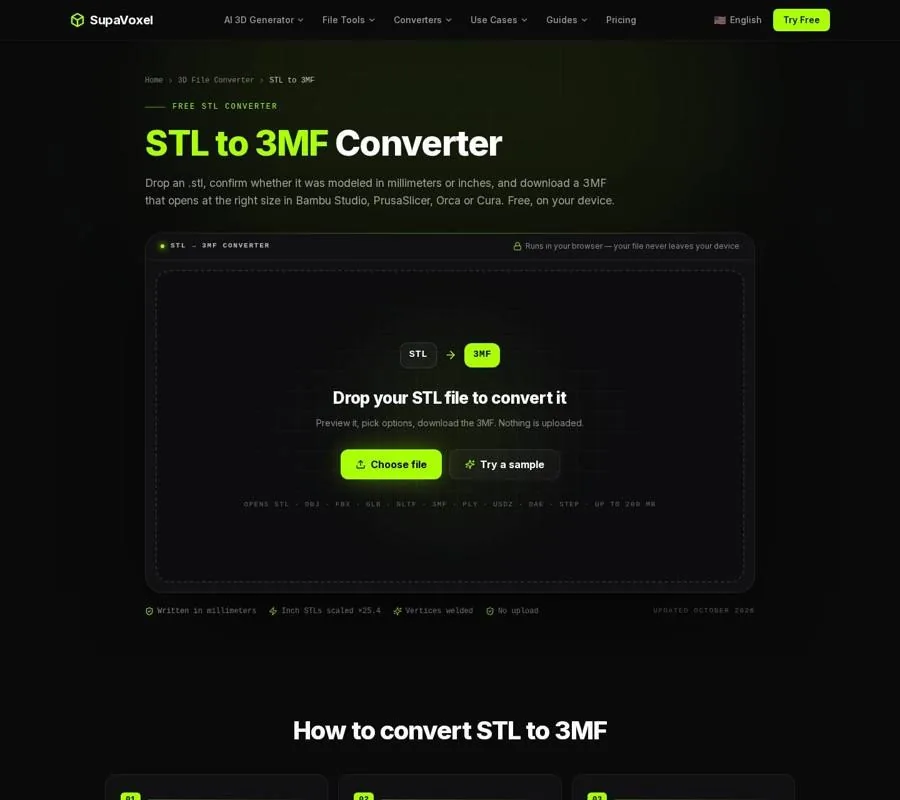
The STL to 3MF page includes a file-units choice and shows the resulting size.
That converter also welds matching triangle corners into shared vertices and places the model on the base plane. Neither change should be mistaken for adding missing color or fixing holes in the source mesh. If a print has gaps or other geometry problems, deal with those as mesh problems, not format problems. If you need a colored print from an uncolored STL, assign or paint the colors in your slicer after import.
Games and web: use GLB when appearance travels with the mesh
For a game asset or web model, shape alone is often not enough. The receiving project may need textures, materials, or animation. GLB packs a mesh and its textures into one file and is used across game-engine and web workflows. That makes it a sensible delivery format when you want the asset’s appearance to accompany its geometry.
This is where exporting an attractive model as STL can be misleading. The triangles may survive, but STL cannot carry the textures that made the model look finished. A gray result is not necessarily a failed conversion; it may be exactly what an STL can represent. If appearance matters, choose a target that supports it before you export.
Use FBX when the engine pipeline expects FBX rather than changing formats out of habit. FBX and GLB are also formats that can carry animation or rigs between tools that support them. Confirm the requirements of the receiving project before treating either as interchangeable with a static mesh. A textured prop and a rigged character present different handoff problems even if both ultimately appear in the same game.
OBJ remains useful for editing in software such as Blender, ZBrush, or Maya. I would choose it for that editing handoff, not as a substitute for GLB’s convenient mesh-and-textures package. OBJ, like STL, does not declare a unit, so the person opening it still needs to know the intended scale.
iPhone AR: make USDZ, but check the physical size
GLB is useful for web and Android AR. Apple’s native AR path uses USDZ, which iPhone and iPad can open in AR Quick Look. If you are preparing a model for visitors on different devices, the destination may call for both formats rather than a single universal export.
3D Studio’s GLB to USDZ converter makes the iPhone AR file from a GLB while retaining textures and supported PBR material maps. It reports output size in meters and lets you correct the source file’s unit assumption before converting. That check matters more in AR than it might in a desktop preview: an object placed in a room at the wrong physical size is immediately noticeable.
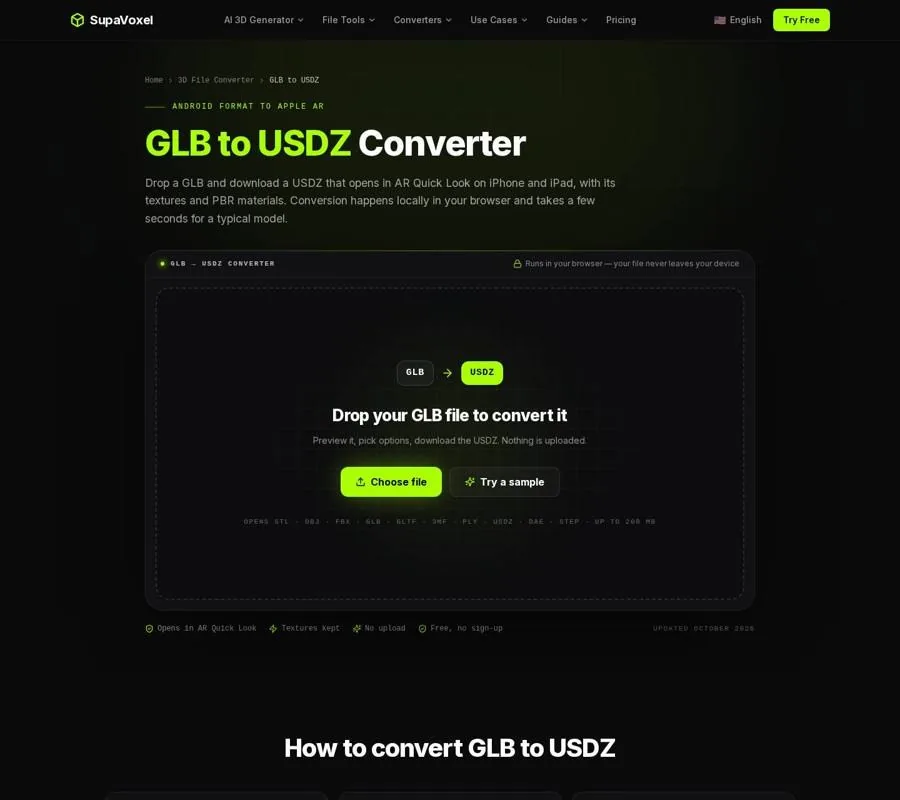
The GLB to USDZ page shows the output size alongside the conversion controls.
There are trade-offs to know before you choose USDZ as this converter’s output. It keeps separate meshes, but exports animation in its resting pose. Textures larger than 1024 px are downscaled. That is reasonable for a static AR object, but it is a poor assumption for a task that depends on motion or close inspection of fine texture details. Test the result on the device that will display it, particularly when scale is part of the experience.
Editing and delivery are different jobs
An editable working file and a file delivered to a printer, engine, or phone do not have to be the same thing. I keep that distinction in mind whenever someone asks for “the model file.” They may mean a mesh they can modify, a print they can slice, or an asset that opens with its materials intact.
For an editing handoff, OBJ is a useful interchange choice. For a pipeline that specifies FBX, supply FBX. For a self-contained web or game asset, consider GLB. For a plain print, STL may be enough; for a print handoff that needs declared units or color assignments, choose 3MF. For native iPhone AR, prepare USDZ.
If you are starting from a picture rather than an existing model, 3D Studio’s Use Cases guides help match the eventual export to a printer, game engine, or AR workflow. The destination should guide the model’s preparation, not just the final conversion.
A final check before you hand off the file
Read the recipient’s requirements, then check the exported file against them. Does the print open at the intended size? Are the colors actually present, or does the format merely support colors that were never assigned? Does the game asset still have its textures? Is the AR object static by design, and does it appear at a believable physical scale?
This check is not about finding one format that preserves everything. No format can add information that the source never contained, and a destination may not support every feature the source has. Choose the format that carries what the next step needs, then open the result in that next step. A file is ready for delivery when it works there, not merely when the conversion finishes.
FAQ
Is 3MF always better than STL for printing?
No. STL is sufficient for many single-color prints. Choose 3MF when declared units, color assignments, or print information matter to the handoff.
Will converting an STL to 3MF make it a color model?
No. STL contains no color to transfer. You can assign or paint colors after importing the converted model into a slicer.
Can I use one AR file for iPhone and Android?
Plan on USDZ for native iPhone AR and GLB for Android and web AR. Check both on their intended devices, especially for physical scale.